TokinAi
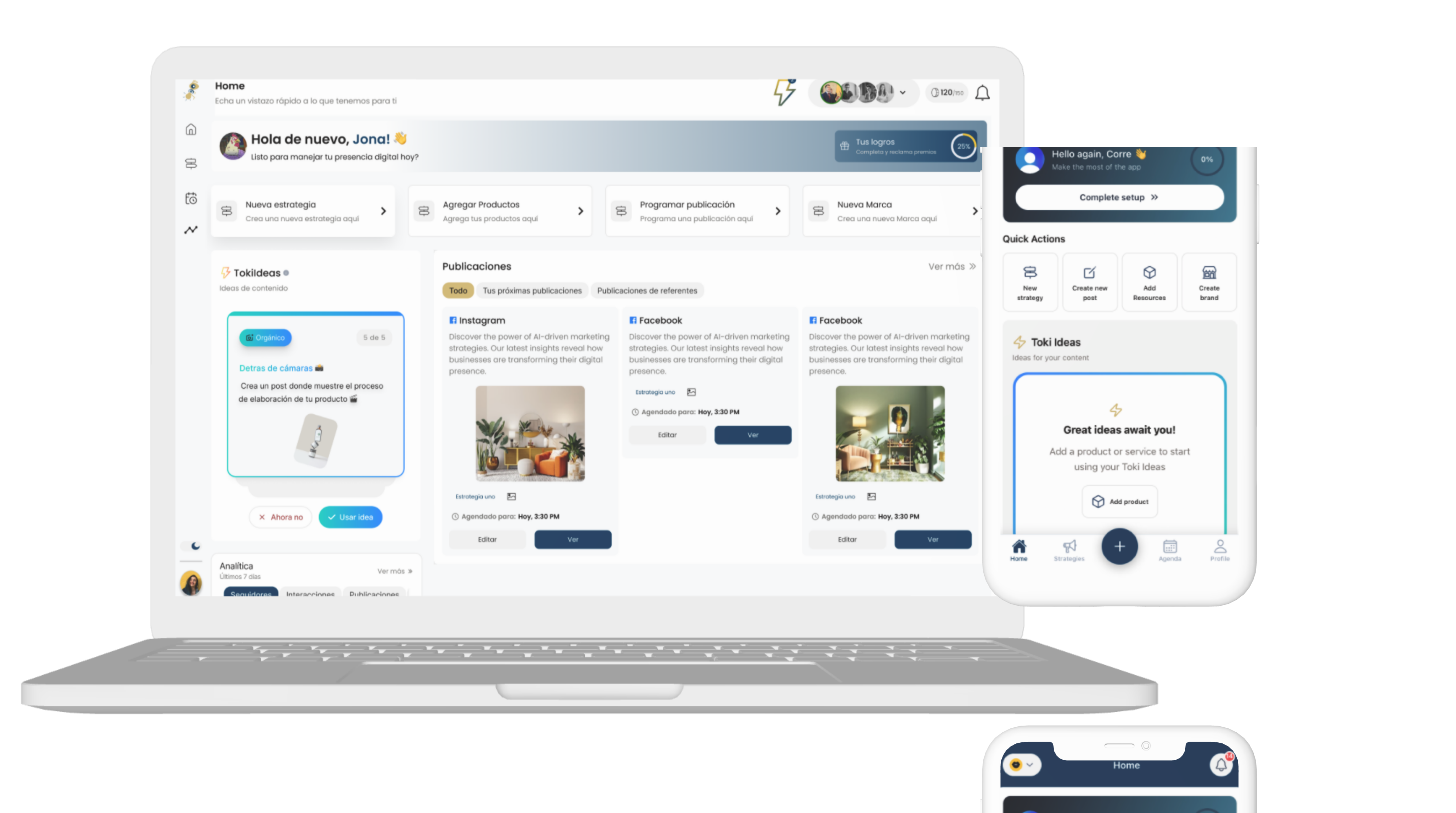
TokinAi is an application designed to help entrepreneurs, content creators, and marketing teams generate visual and textual content for social media quickly and efficiently using AI.
The project emerged from the need to democratize professional content creation for small businesses and independent creators who don't have dedicated design teams.
Role
Lead UI/UX Designer
Research, design, testing
Team
5 people
1 designer, 3 Developers, 1 PM
Duration
6 months
January - July 2025
On this page:
Many entrepreneurs face difficulties maintaining an active and consistent presence on social media.
Small entrepreneurs spend between 5 and 8 hours per week creating content, time that could be invested in strategic activities for business growth. Additionally, 73% of surveyed users expressed feeling overwhelmed by the need to consistently produce quality content across multiple platforms, mainly due to lack of time, resources, or specialized knowledge.
This situation creates a significant barrier to digital visibility and sustained growth of their brands.
Competitive analysis
Similar platforms were examined to understand the market and differentiation opportunities.
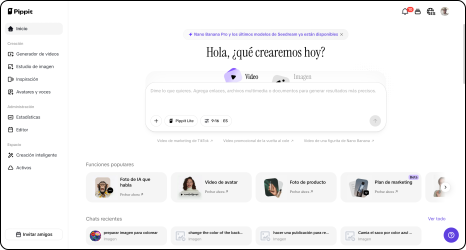
Pippit
Pippit is a platform with AI-powered automatic multimedia content creation features, focused on generating videos and images for marketing and social media.
Strengths
- AI for automatic video and image generation
- Avatars and multilingual narration
- Marketing templates and resources
Weaknesses
- Lack of business/niche context
- Does not suggest posting frequency for different networks
- Does not allow organizing/reusing posts
Surveys
To ensure our product truly met our users' needs, it was essential to conduct interviews with new and established entrepreneurs. These insights shaped our strategy, allowing us to create a product that delivered real value and addressed their specific pain points.
| Identified Problems | Entrepreneurs surveyed (80)Respondents | % |
|---|---|---|
| Lack of time to post | 69 | 86% |
| Lack of knowledge in digital marketing | 43 | 53% |
| Have not used AI tools to create content | 46 | 58% |
| Do not have a website or social media | 32 | 40% |
| Post inconsistently | 44 | 55% |
| Do not measure results or metrics | 67 | 83% |
| Do not know how to run ads (advertising) | 62 | 77% |
Insights found
After conducting user interviews, contextual research, analysis of similar platforms, and analyzing the collected data, I was able to classify the acquired insights into these three categories:
Time
Most entrepreneurs lack the time to learn, execute, and revitalize their social media accounts.
Customization
Many users find that AI-generated content is generic and not personalized or aligned with their brand.
Lack of knowledge
Many entrepreneurs know they have a real business but lack knowledge about what, when, or how to post.
User Personas
Based on the research, we defined three user profiles that represent the spectrum of TokinAi's needs.
Carlos Herrera
Business owner · 35 years old
I know I need to post more, but between running my business and everything else, I just don't have the time.
Goals
- Gain visibility without spending hours on social media
- Attract new customers with professional content
Frustrations
- Doesn't know what to post or when
- Fears looking unprofessional on social media
Valentina Torres
Community Manager · 27 years old
I manage multiple brands at once and I always need fresh ideas. It's exhausting to reinvent yourself every week.
Goals
- Generate content ideas for multiple clients
- Maintain each brand's voice and consistency
Frustrations
- Creative burnout from managing multiple accounts
- Generic tools that don't respect brand tone
Sofía Mora
Digital Entrepreneur · 24 years old
I have the ideas, but I need help transforming them into posts that truly connect.
Goals
- Build organic audience from scratch
- Monetize her personal brand with valuable content
Frustrations
- Doesn't know how to adapt content to different platforms
- Low consistency due to lack of structure
With a better understanding of user needs, I dove into creating wireframes and iterations, focusing on:
Content customization
For this aspect, a progressive 3-step onboarding flow was designed for first-time users to provide their business data and competitor information. This enables the generation of personalized content aligned with the brand.
Identify the brand
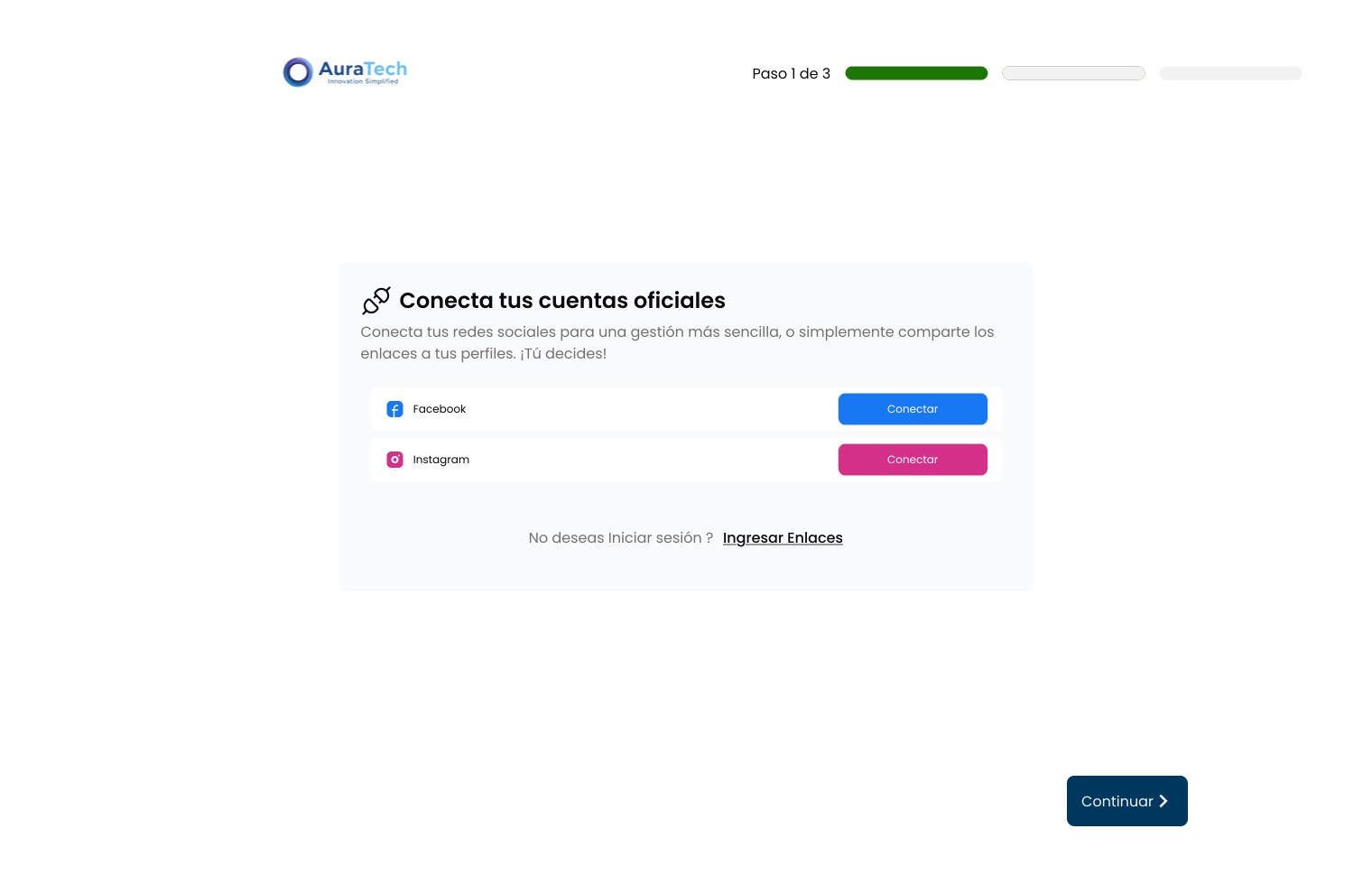
Step 1: In this step, the user had to log in with their social media accounts to obtain their business data such as business name, followers, posts, etc.
Identify the competition
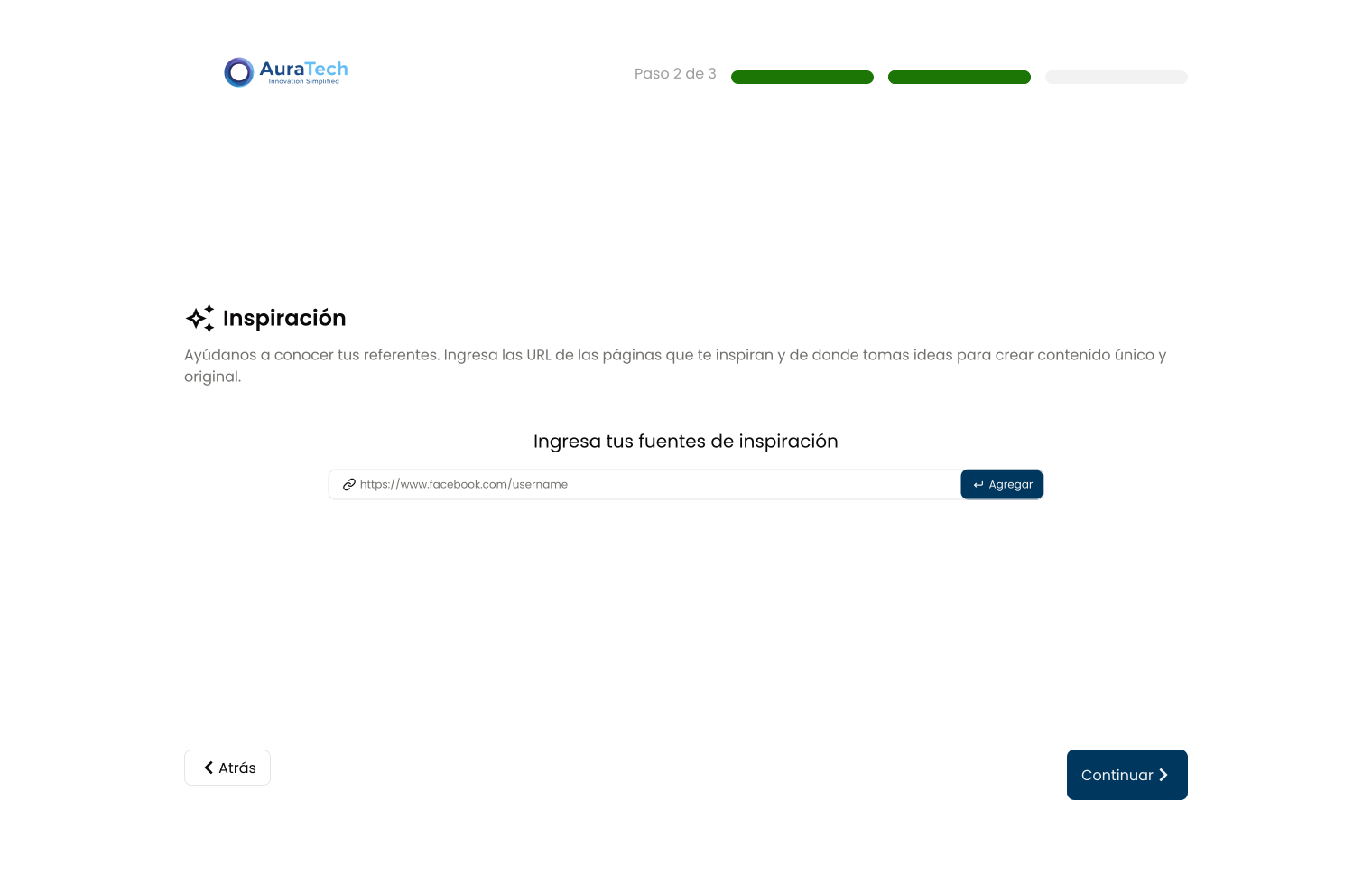
Step 2: In this step, the user had to enter their competitors' URLs so the AI could analyze and gather information about their competition.
Review and edit the inferred data
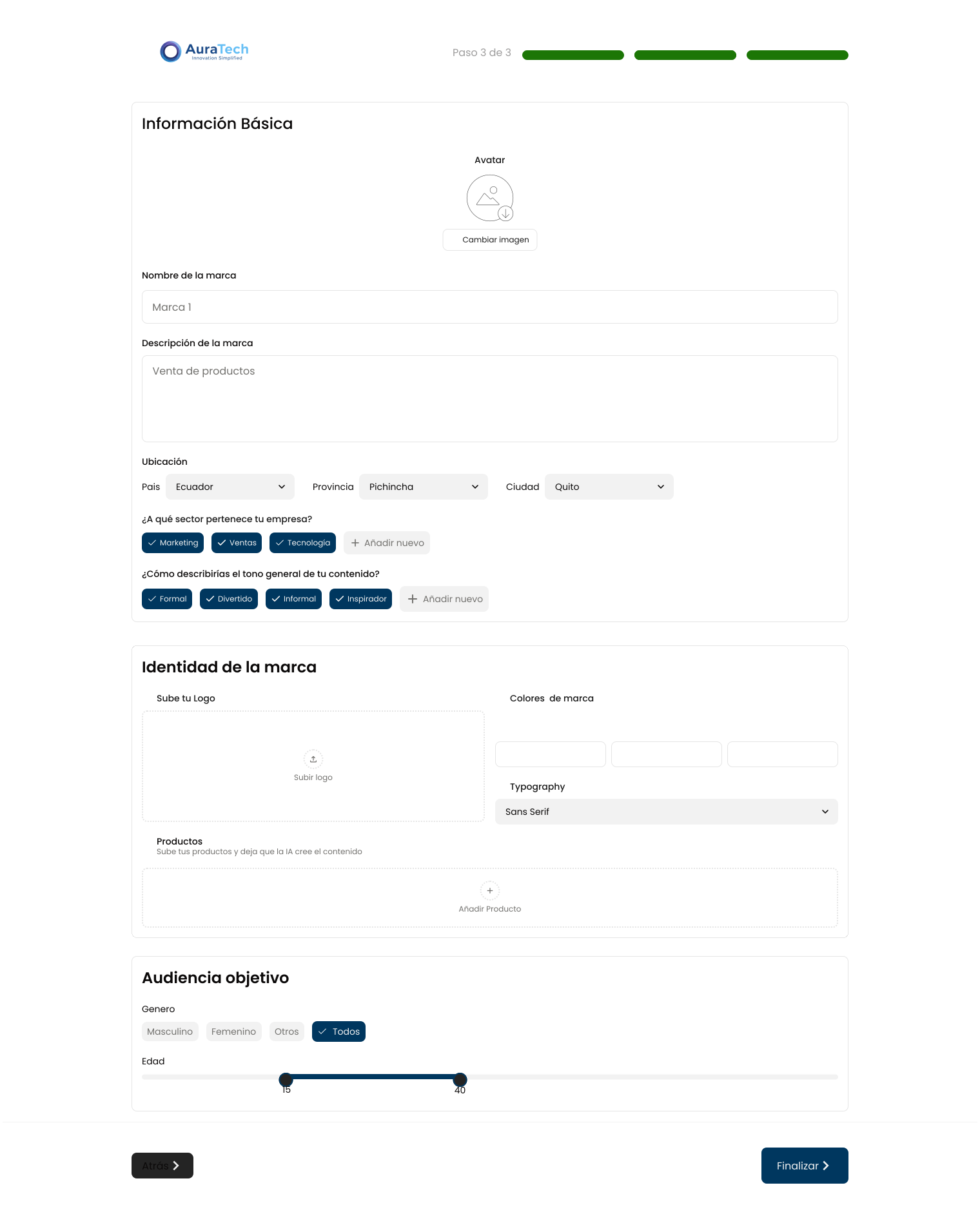
Step 3: In this step, the user could review and edit the data obtained from their business and their competitors. This data was gathered from their social media accounts and their competitors' URLs. Some information, such as the tone of their posts, etc., was inferred by the AI.
The following issues were detected in the initial tests:
- The onboarding flow was too lengthy. Users abandoned the process before configuring their business profile, preventing them from completing onboarding and therefore accessing the platform's main functionality.
- Due to the platform's target audience—business owners with limited time and basic knowledge—many didn't have social media accounts, so their business data couldn't be obtained.
- Other users who did have social media accounts weren't logged into them, so they had to search for or remember their credentials to sign in. This was time-consuming and many didn't follow through.
- Others didn't have enough content on their social media, so the AI couldn't gather sufficient data to create a brand profile.
- When identifying competitors, users didn't know what to enter in the competitor URL field. This caused confusion and they didn't know what to input.
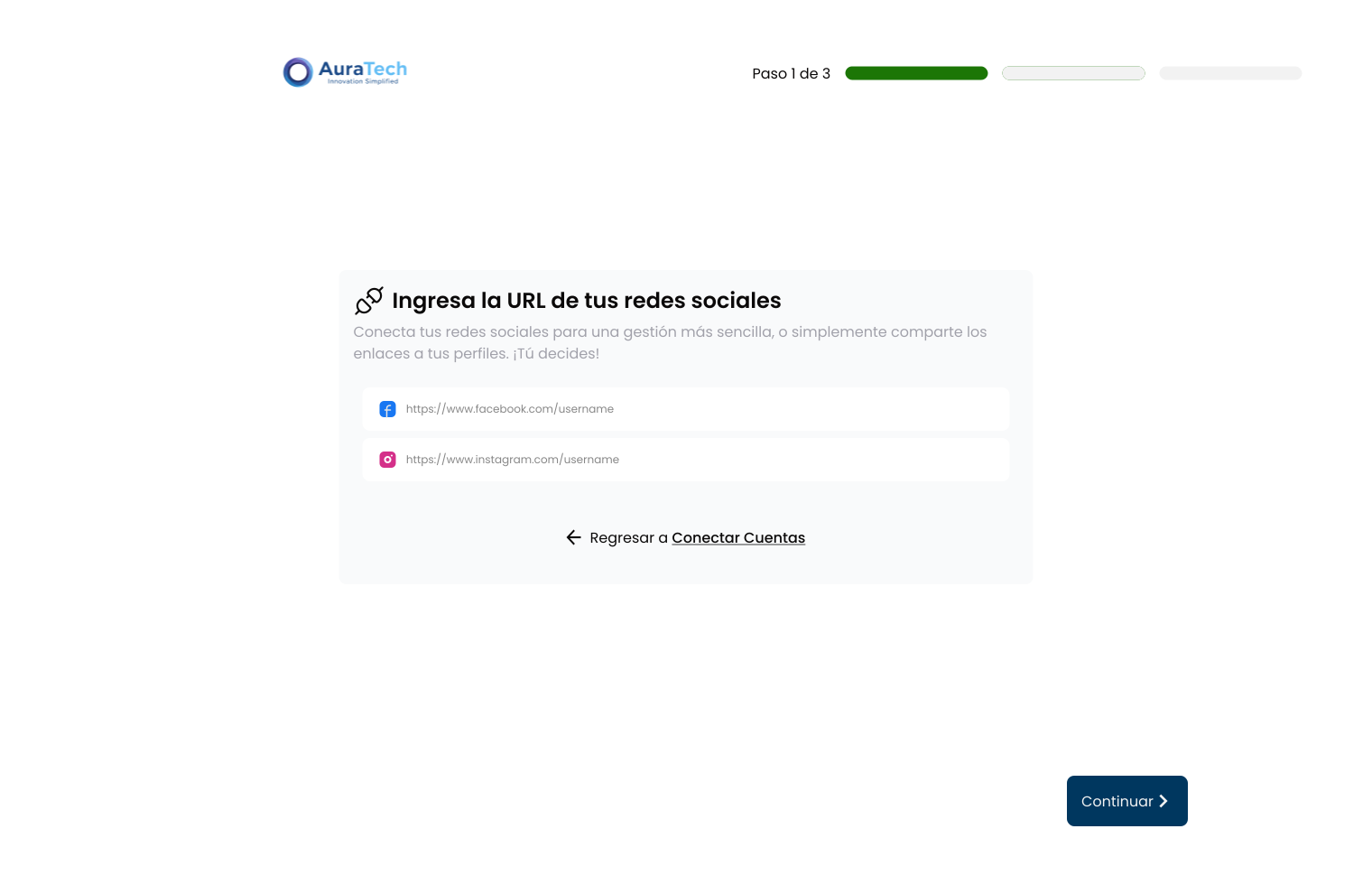
User feedback was taken into account and the first step of onboarding was redesigned. The approach shifted away from requiring users to log in with their social media accounts, and instead asked them to enter their business URL or their competitor's URL. This way, data could be obtained from their business and their competitors.
This change was not well received by users, as the field for their business URL and their competitor's URL caused confusion. Additionally, we returned to the problem of it being a cumbersome and lengthy process. Having to search for their business URL and their competitor's URL, many users didn't do it.
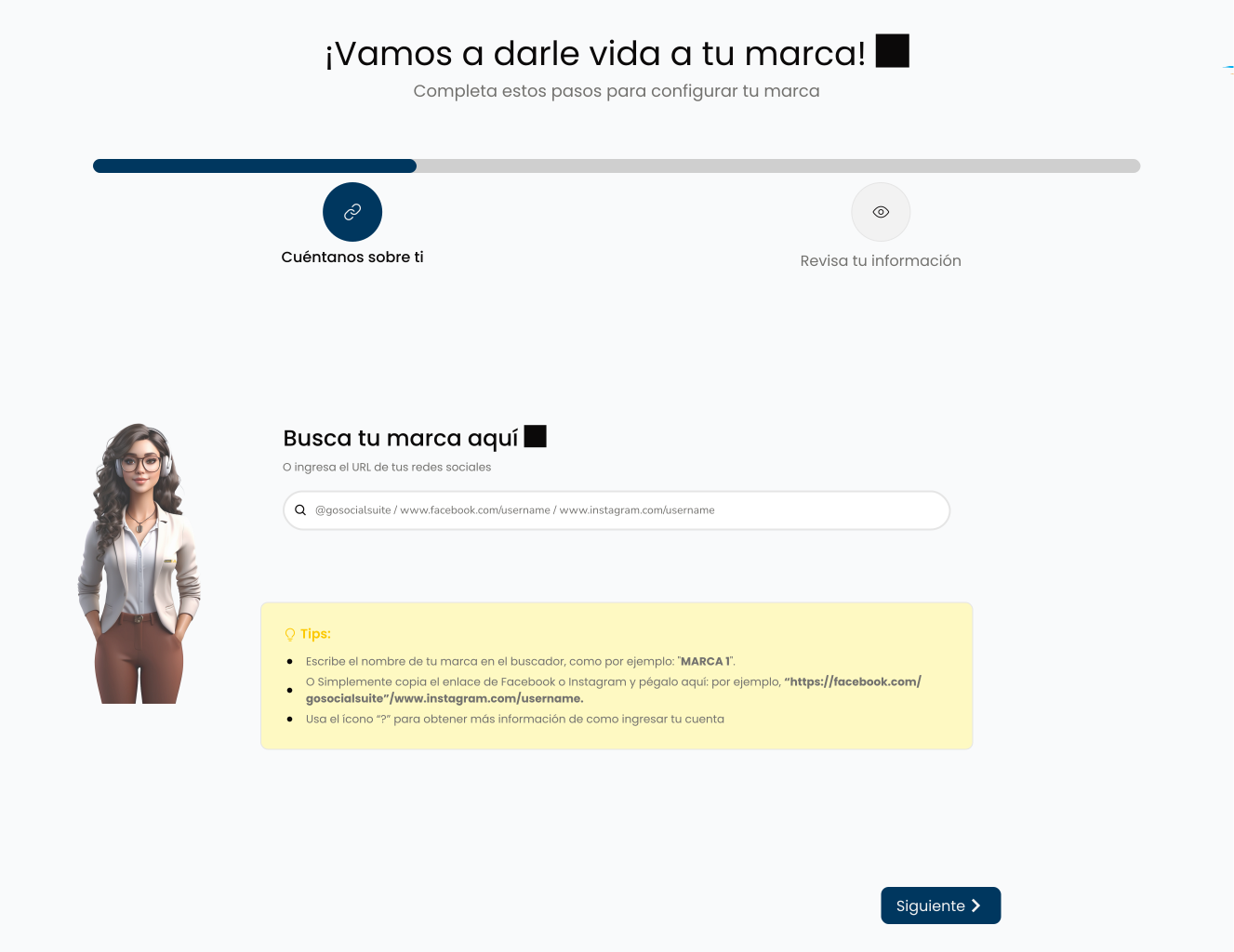
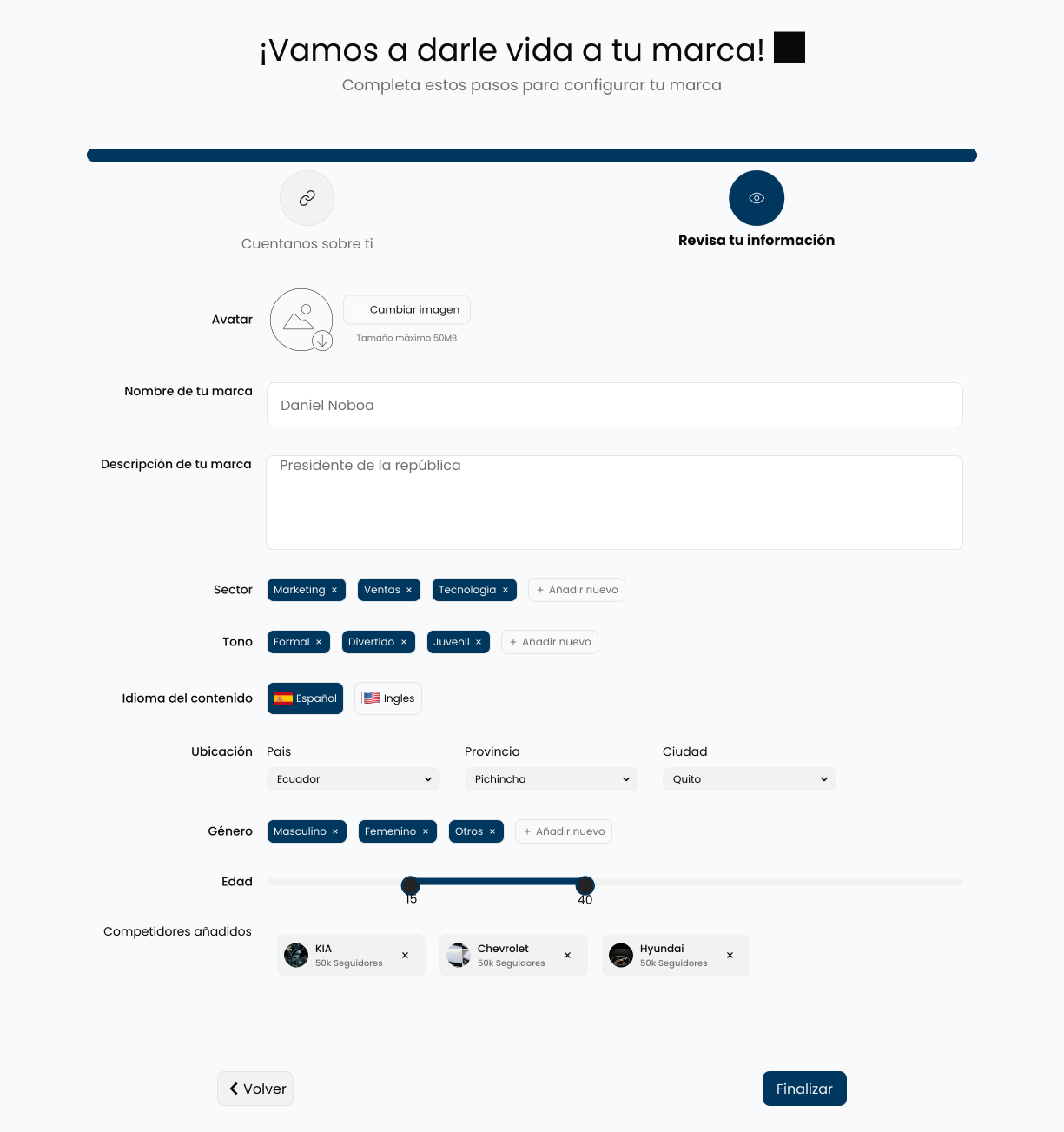
Another solution was proposed, this time we opted to include a page search feature, so users could search for their business page and add it easily. This solution was well received by users, as it allowed them to obtain their business data quickly and efficiently. Without having to leave the platform to get their business information. Additionally, the onboarding was reduced to 2 steps, so users could obtain their business data more quickly, and the competitors section was added as another data point to review inferred by AI.
Although this solution reduced friction and allowed many users to progress through onboarding, a problem arose where some pages were not found in the search, so users had to enter their business data manually with the URL. However, this solution was considered the best option, due to the rate of users who progressed compared to other methods.
Time
For the time problem, a solution was proposed that would allow users to generate content quickly and efficiently. A strategy system was designed that allows users to create multiple posts in a single process.
Strategy Creation
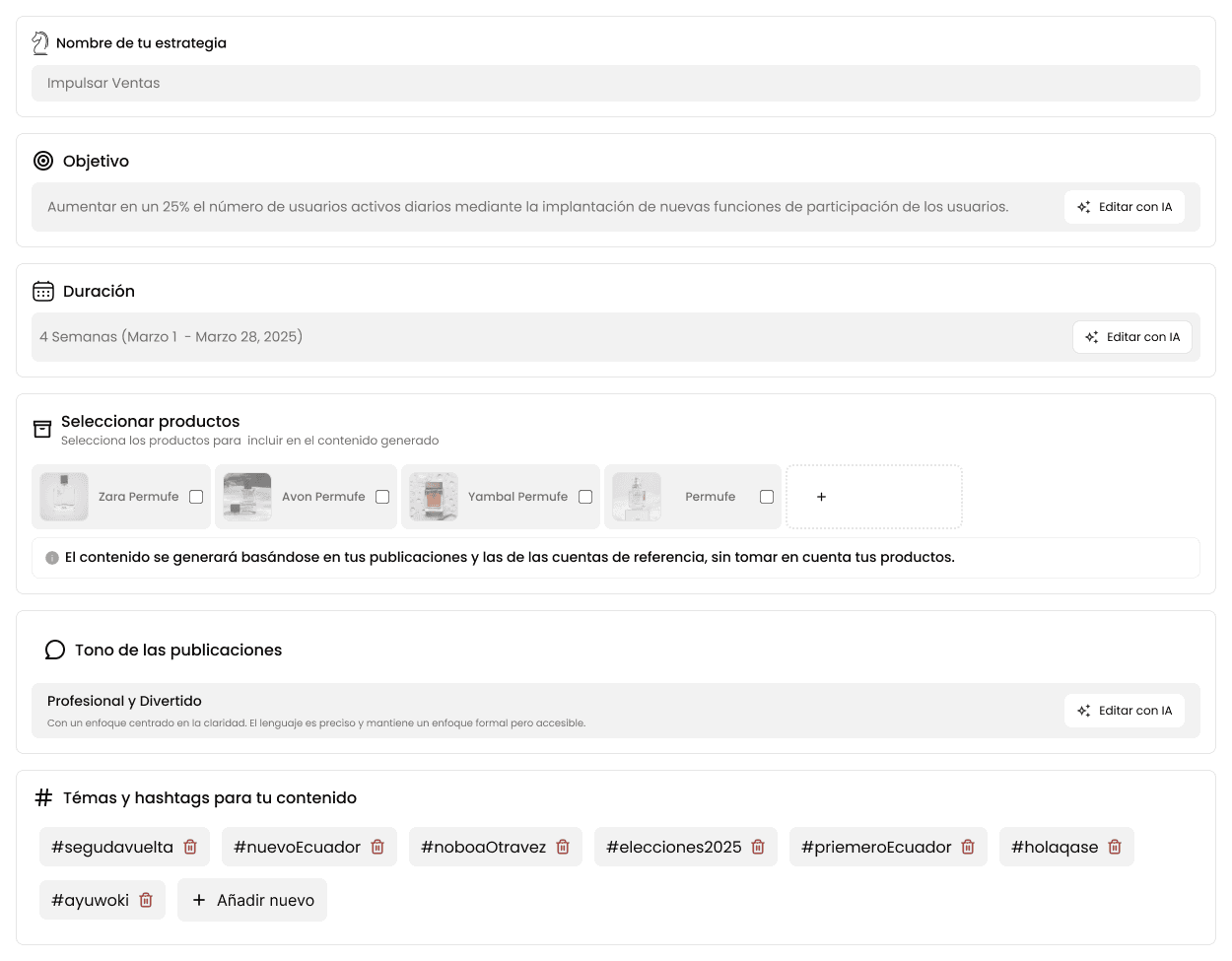
Here the user can determine their strategy's objective, the type of content they want to generate, and the tone they wish to use. By default, a strategy with ready-to-use variants is proposed.
Content Generation Review
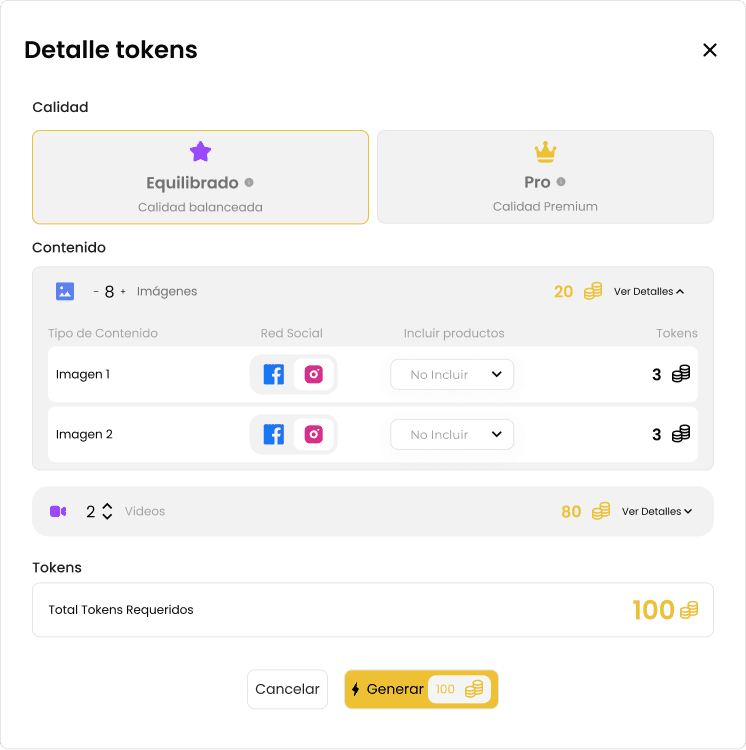
Here the user can review what content will be generated (Image, video, text), which social network it will be published on, and the credit value required. They can modify it if necessary.
Publication Calendar
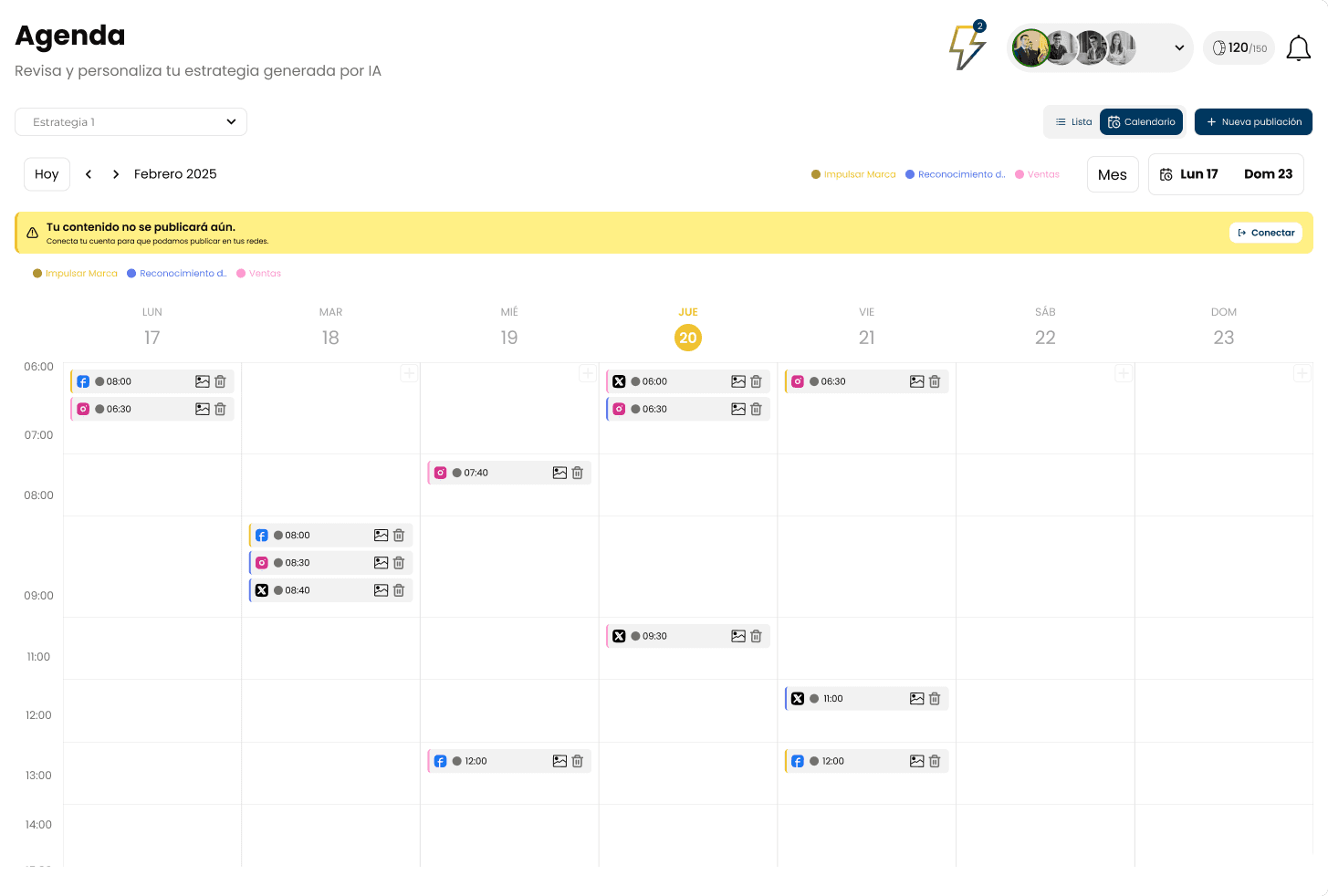
The system generates and schedules content and recommends the best times for each social network. The user can modify it at any time.
The following issues were detected in the initial tests:
- Users only edited the objective; they didn't interact with the content editing options
- Most users accepted the AI-proposed content, so it was decided to simplify the flow.
- The content review modal contained too much information and was confusing for users.
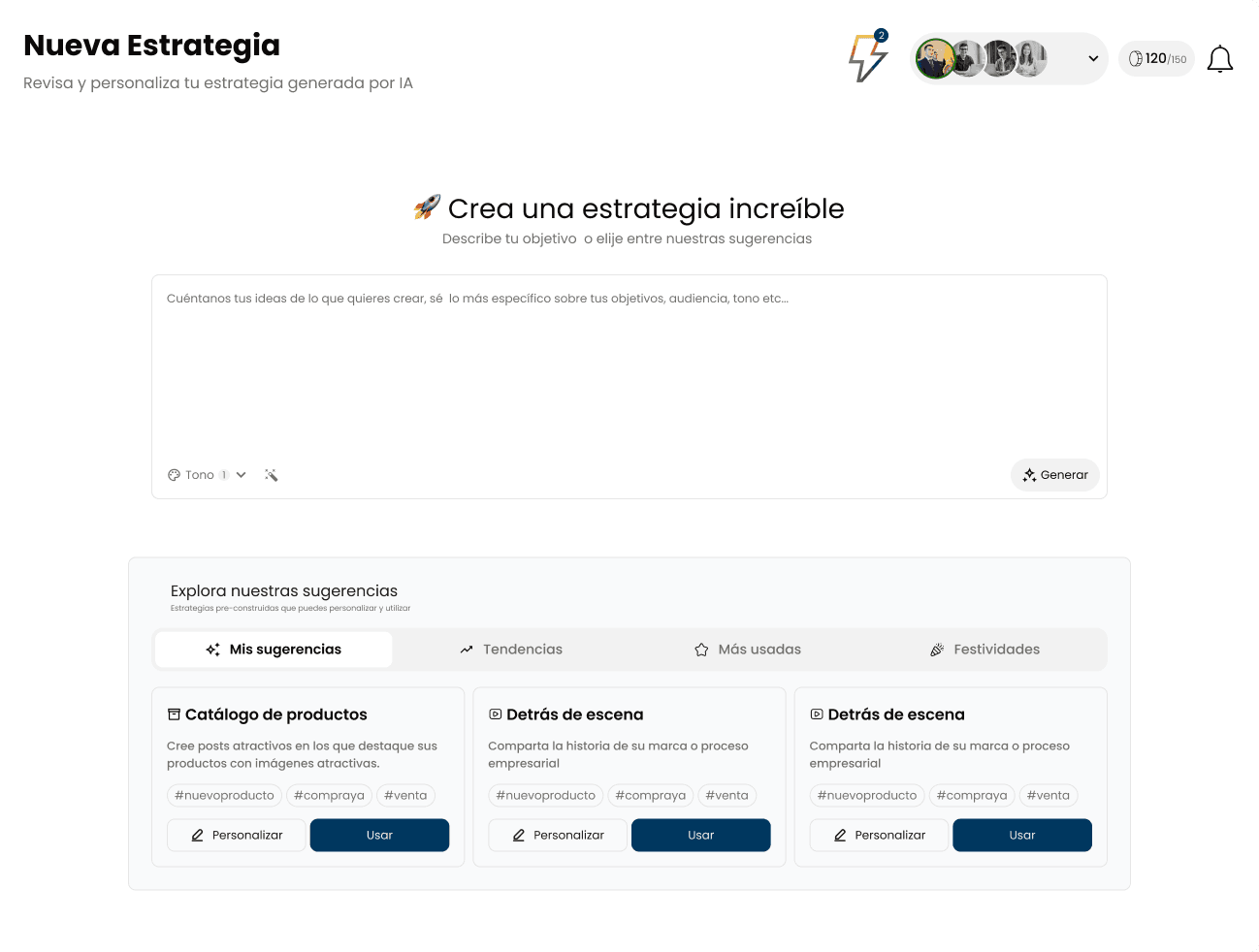
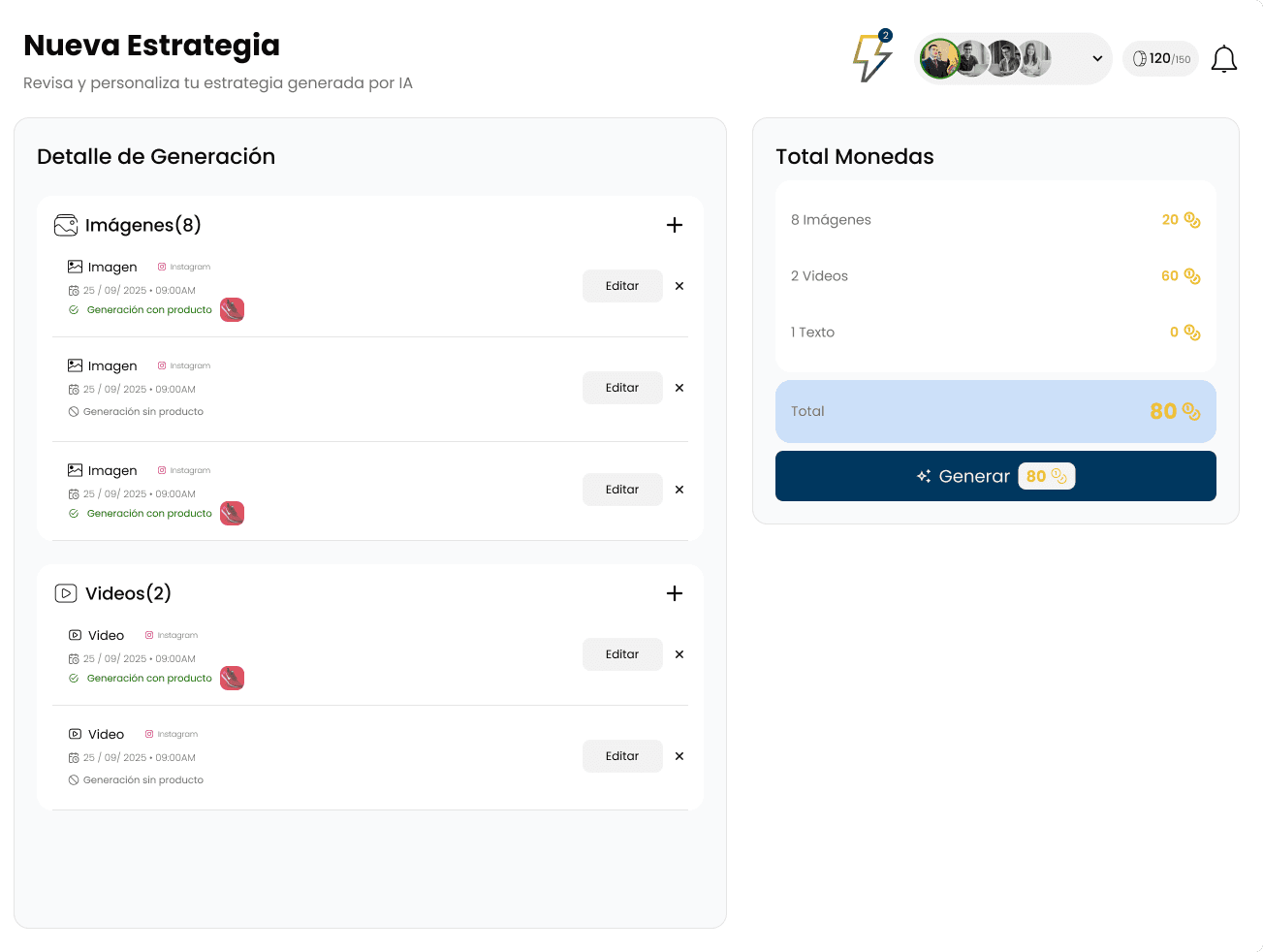
The content strategy creation flow was redesigned to address the findings:
- The content strategy creation flow was simplified, presenting the user with a single input where they could enter the strategy's objective, which was the field users edited most.
- Fields for content tone, hashtags, or publication date were placed with less hierarchy to avoid overwhelming the user.
- The content review modal was eliminated, replacing it with a content strategy summary with information better separated and organized.
In this improvement, although the flow was more direct, it was noted that users still weren't interacting with the content customization fields, so it was suggested to review how to improve the content personalization experience.
Final Prototype
I tested the product at various stages of the project.
- Beta Testing: Before launching the app, we tested it with a group of entrepreneurs. This helped us obtain some indicators and identify friction points
- A/B Testing: Several small flows in the tool were tested to measure how users interacted with a given flow and whether it was intuitive for the user
What Worked
- Rapid Content Creation: Users highlighted the ability to generate content efficiently as a major time saver.
- Automatic Scheduling/Publishing:Users were excited about the content recommendations for posting and suggested times for different social networks.
Areas for Improvement
- Social Network Login:Many users didn't have their accounts open in the browser, which created friction in the process. This caused users to drop off at this step.
- 1
Prior Audience Research: During the initial interviews, most of our users were between 40-65 years old, with limited knowledge of marketing, brand growth, AI, and technology in general. This indicated that interactions that might work well for a tech-savvy audience familiar with trends might not work as effectively for this age range.
- 2
Time vs. Theory: Project timelines were tight, which didn't allow for all the processes that should theoretically be carried out in a UX/UI project. However, we tried to balance the process to ensure that deliverables maintained a user-centered design at each stage.
- 3
Iterate continuously: Continuously monitor user usage and gather feedback for improvement. It greatly helped identify friction points for users and enabled modifications and, at times, complete redesigns.
- 4
Involve all stakeholders: at different stages is crucial to validate ideas and designs, both with stakeholders and the development team, to maintain communication, stay aligned, and avoid delays due to lack of communication
More projects